
Pastry Art Workshop for Children
What players say
Pastry Art Workshop for Children offers a calm, structured baking and decorating experience for preschoolers and early learners. The absence of timers, scores, and advertisements creates a safe environment for independent play. While the game may not challenge older children, its large buttons, positive feedback, and gallery feature make it a thoughtful choice for parents seeking constructive screen time.
How to play
Baking Basics for Small Hands
Pastry Art Workshop for Children begins in a cheerful kitchen where players choose from a selection of simple recipes to prepare cake bases. The process involves mixing ingredients and baking, giving children a clear sequence to follow. Large, easy-to-tap buttons are designed for small hands, so young players can complete each step without frustration. The interface supports independent play, allowing kids to work through the baking phase on their own.
Decorating Tools and Creative Control
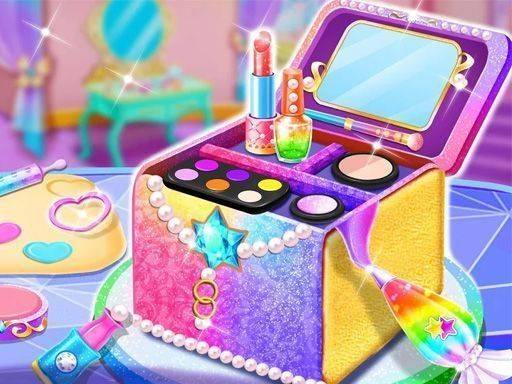
After baking, the decoration phase opens up a toolkit of colorful frostings, sprinkle shapes, and candy pieces. Children can apply frostings, arrange toppings, and experiment with patterns to personalize each cake. Layering colors, creating stripes or swirls, and building three-dimensional designs are all possible with the available items. The game may offer themed decoration sets that match seasonal or imaginative concepts, giving each cake a distinct look. With no time limit, kids can take as long as they like to perfect their artwork.
Calm Atmosphere and Positive Feedback
The bakery environment uses soft pastel colors and friendly character illustrations to create a welcoming space. Gentle background music stays non-distracting, while sound effects provide positive feedback for actions like placing a decoration or finishing a cake. The overall design aims to reduce stress and encourage calm, focused play. There are no competitive elements or scoring systems, making the game suitable for children who prefer open-ended activities.
Saving and Sharing Creations
Completed cakes can be saved to a personal gallery within the game, allowing children to view their collection of past creations. This feature helps build a sense of accomplishment and lets kids see their progress over time. Some versions of the game may include an option to share finished designs with family members through a secure, parent-controlled interface. The focus remains on personal expression rather than comparison with others.
A Safe Space for Young Players
The game contains no advertisements, in-app purchases, or external links, providing a safe environment for unsupervised play. All content is age-appropriate and free from mature themes. Parents can feel confident that their children are engaging in a constructive activity that develops fine motor skills, color recognition, and creative thinking. The simple controls mean that even preschoolers can participate with minimal assistance.
Compatibility
FAQ
Comments
Sign in to comment
You must be logged in before posting a review or rating.
No comments yet. Be the first to comment!







Editorial Notes